Solution Review
10 Creative Text Animation Ideas to Boost Your YouTube & Social Media Videos

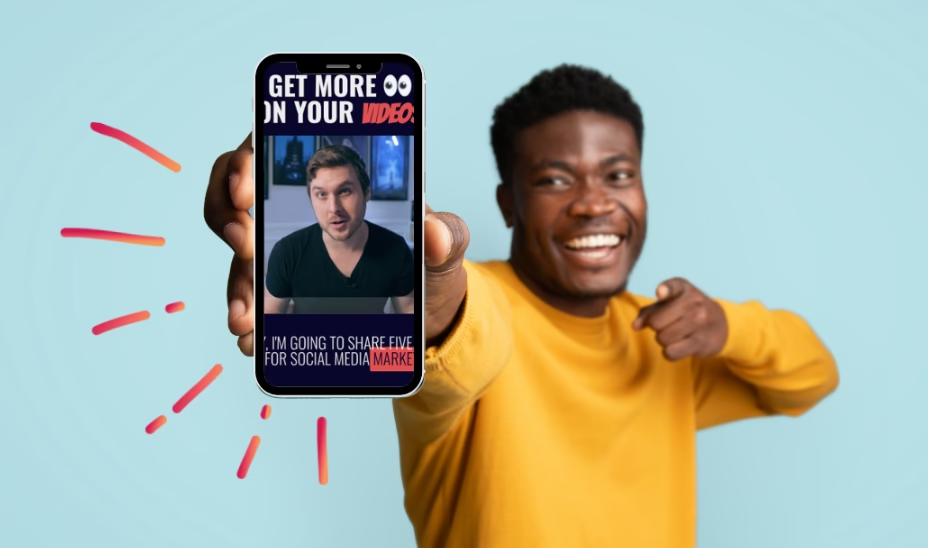
If you’ve ever felt like your social media videos were good but missing that extra spark. Then, text animation might be exactly what you need. Fortunately, your titles and captions are impossible to ignore by right motion.
The best part? You don’t need to be a professional editor to make it happen, with tools like Wondershare Filmora. Its easy customization tools and AI motion control make the whole process creative and genuinely fun.
Let’s discover the 10 best animation styles you can use right away and simple ways to bring them to life by using Filmora.
Part 1: Why Animated Text Is the Secret Hook for Social Media Videos
On social media, you have three seconds to stop someone from scrolling. That is the reason the animated text generator has become a powerful storytelling tool for creators. A moving title or caption naturally draws the eye, helping viewers understand your message even with sound off.
Here’s why creators prefer animated text:
- Instant Visibility: Motions stand out in a crowded feed.
- Higher Retention: Animated text on videos can lead to an increase in watch time by 80%.
- Stronger Storytelling: By this means, you are able to clearly show the main points and the feelings of the story.
- Mute-friendly Content: Perfect for reels and YouTube shorts, where most users watch silently.
Whether it is a tutorial or vlog, animated text acts as your visual hook. It keeps your audience watching longer and makes your message far more memorable across all platforms.
Part 2: 10 Best Text Animation Styles You Should Try
If you want your video to feel modern and stop-scrolling. Experimenting with different text animation styles is a game-changer. Here are some creative text animation ideas to inspire your next edit.
- Typewriter effects for storytelling
The typewriter effect is perfect for meaningful quotes and poetry, where you want your audience to pause and really absorb your message. Plus, letters appear one by one, giving your video a cinematic vibe.
- Bold Kinetic Typography for Intros
Kinetic typography syncs text movement with your beat or fills the screen with energy. It helps you set the tone for hype edits, promotions, or anything that needs an impactful entrance.
- Handwritten Text Reveal for Personal Vlogs
Handwritten text animations feel bold and aesthetic. They mimic the look of natural handwriting. Great for travel vlogs or any content where you want your audience to be a part of your journey.
- Floating Captions for Reels & Shorts
Floating captions are in style and easy to read. These captions assist viewers in following the content, particularly when they are watching in silence. Floating captions increase the interaction level and facilitate the delivery of your message in only a few seconds.
- Minimal Fade-Ins for Brand Promos
Fade-in titles are a crowd favorite for sleek content. They appear softly without distracting from your visuals. And they work beautifully for corporate promotions, product showcases, or luxury branding.
- 3D Text Pop Effect
The 3D text effect makes the content bold and visually striking. The text appears to leap off the screen, adding dimension and emphasis. It is best for announcing deals or making certain phrases stand out in tutorials or creative edits.
- Color Transition Text
Color transition effects gently shift your text from one shade to another. This is a wonderful option for the fashion edits or any other kind of creative work where the visuals play an important role. It brings the character and doesn’t overpower the audience.
- Glitch Text Animation
Glitch effects bring a digital distortion style that quickly adds attitude to your video. Loved by gamers and music video creators. Glitch text is ideal for dramatic intros or edgy transitions.
- Neon Glow Animation
Neon animation creates glowing text inspired by classic retro signs. They look fantastic in nightlife content or party highlights. The glow effect adds a vibrant mood that instantly lifts your scene and makes your message pop.
- Bounce & Scale Effects
Bounce & scale effects are playful and highly engaging. The text shrinks or jumps slightly, giving your video a lively and dynamic look. These effects work well for subtitles or humorous moments.
No matter your style or platform, these text animations bring your ideas to life. Especially when you pair them with a user-friendly Animated Text Maker like Wondershare Filmora.
Part 3: How to Create These Effects with Filmora’s Text Animation Tool
While working with Wondershare Filmora, you are not required to have advanced skills. Its ready-made presets make animated text easy for anyone. Let’s understand how to animate text in Filmora to make great videos in a short time.
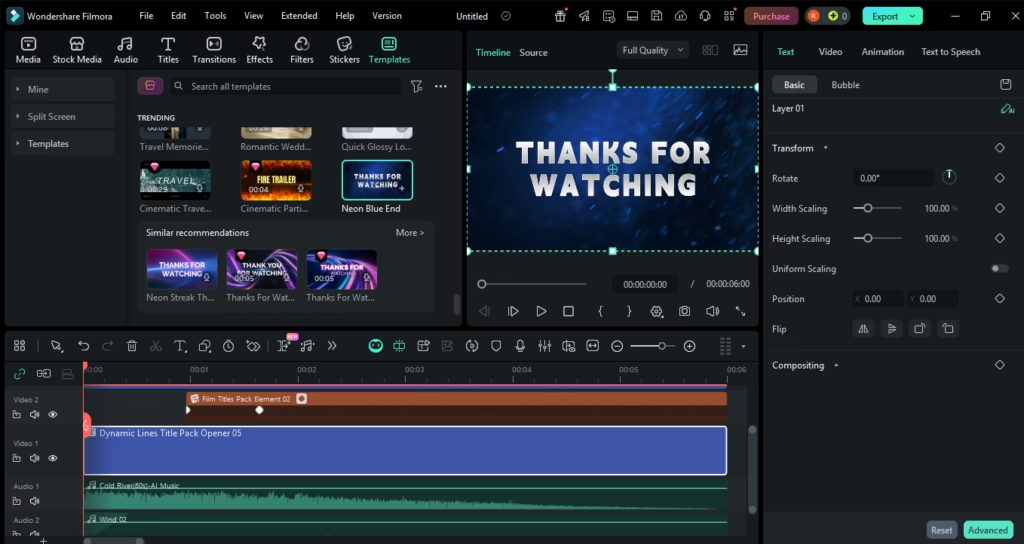
Step 1: Choose a template or create plain text
Once you have Filmora set up, open your project and explore the animation library. You can select pre-designed text for a quick upgrade or start with plain text to start from scratch.
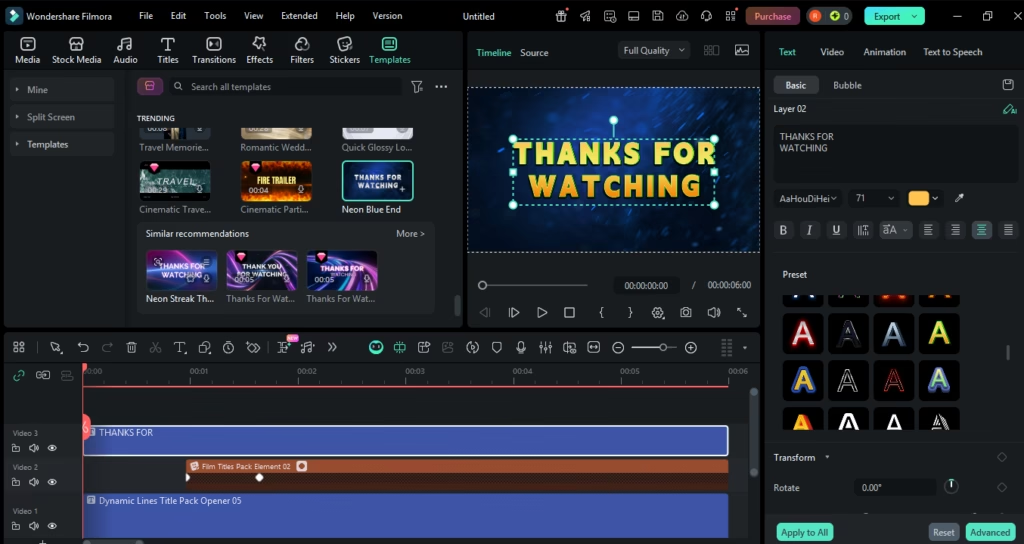
Step 2: Input and Style your text
Add your text and make it your personal style. Alter the font, size, or color as long as it suits the style of your video.
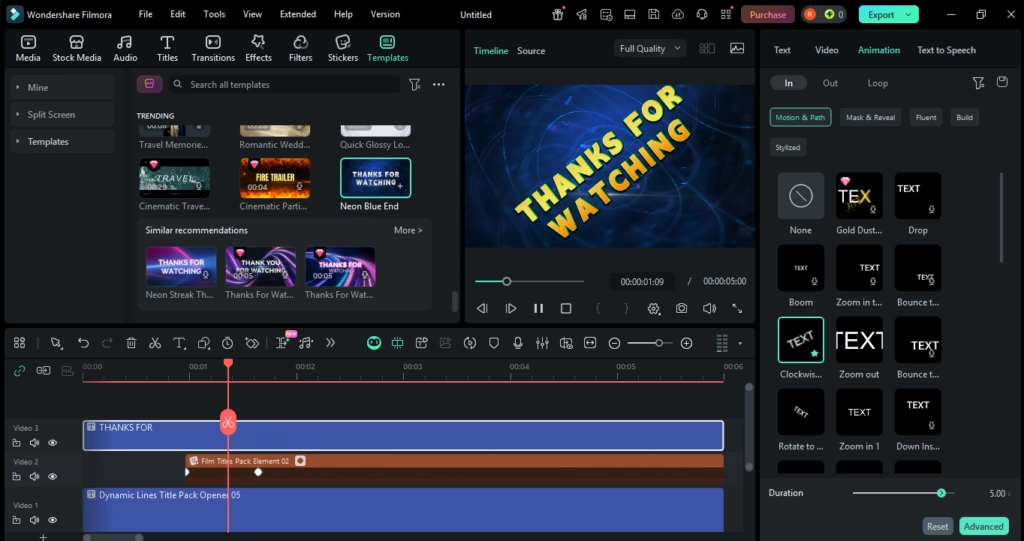
Step 3: Apply text animation
You can animate your text by choosing one of Filmora’s prepared motion effects. You can even go for a fully custom look by using keyframes, personalized motion paths.
Step 4: Finalize and Export
Give your video a final polish by trimming any extra clips or adding music. When everything is perfect, save it as a video. You can even post it directly to social media from Filmora.
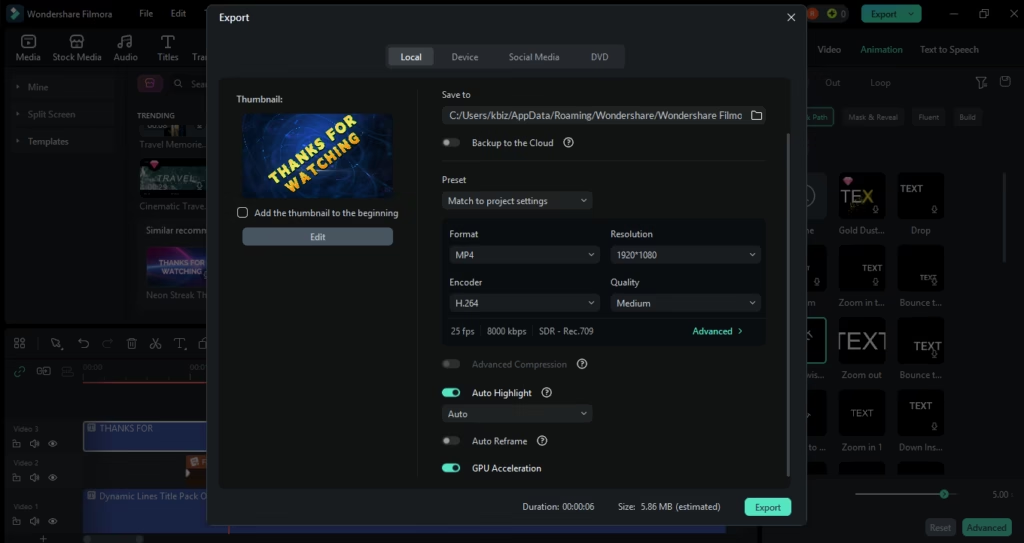
Whether you’re shaping a story or creating a promo, Wondershare Filmora helps you Create Animated Text that feels smooth and suits your unique style.
The editing experience has been made even better with the latest Filmora V15 update. If you want to get a quick idea of the changes, you can check out the official “What’s New” page or the feature guide.
Conclusion
If you want your videos grab attention instantly, then text animation is a must. Just by using the correct emotion, even a simple message can feel exciting.
Whether you’re adding bold kinetic titles or soft handwritten-style reveals, user-friendly tools in Filmora make the whole process fun and incredibly creative. It offers deep customization, AI motion tools, and a seamless editing workflow.
Ready to transform your content with text that moves and connects? Visit Wondershare Filmora and start creating animations that turn casual viewers into loyal fans.







How to Translate more 5,000 characters limit by Google

Best PayPal Deepnude Sites 2026 – Rankings & Reviews
AI Outsource Website Design in 2026: Benefits, Process, Cost

The Best AI Tools to Remove Clothes from Images

Best 9 Free Deepnude Online Apps
The Best AI Tools to Remove Clothes from Images
How to Translate more 5,000 characters limit by Google
Best 9 Free Deepnude Online Apps
AI Outsource Website Design in 2026: Benefits, Process, Cost