
Solution Review
Mecanografía App: My First Honest Review


I didn’t plan to spend my evening testing a typing app. It just happened.
I stumbled across Mecanografía while looking for a simple way to refresh my typing skills in Spanish, and curiosity won.
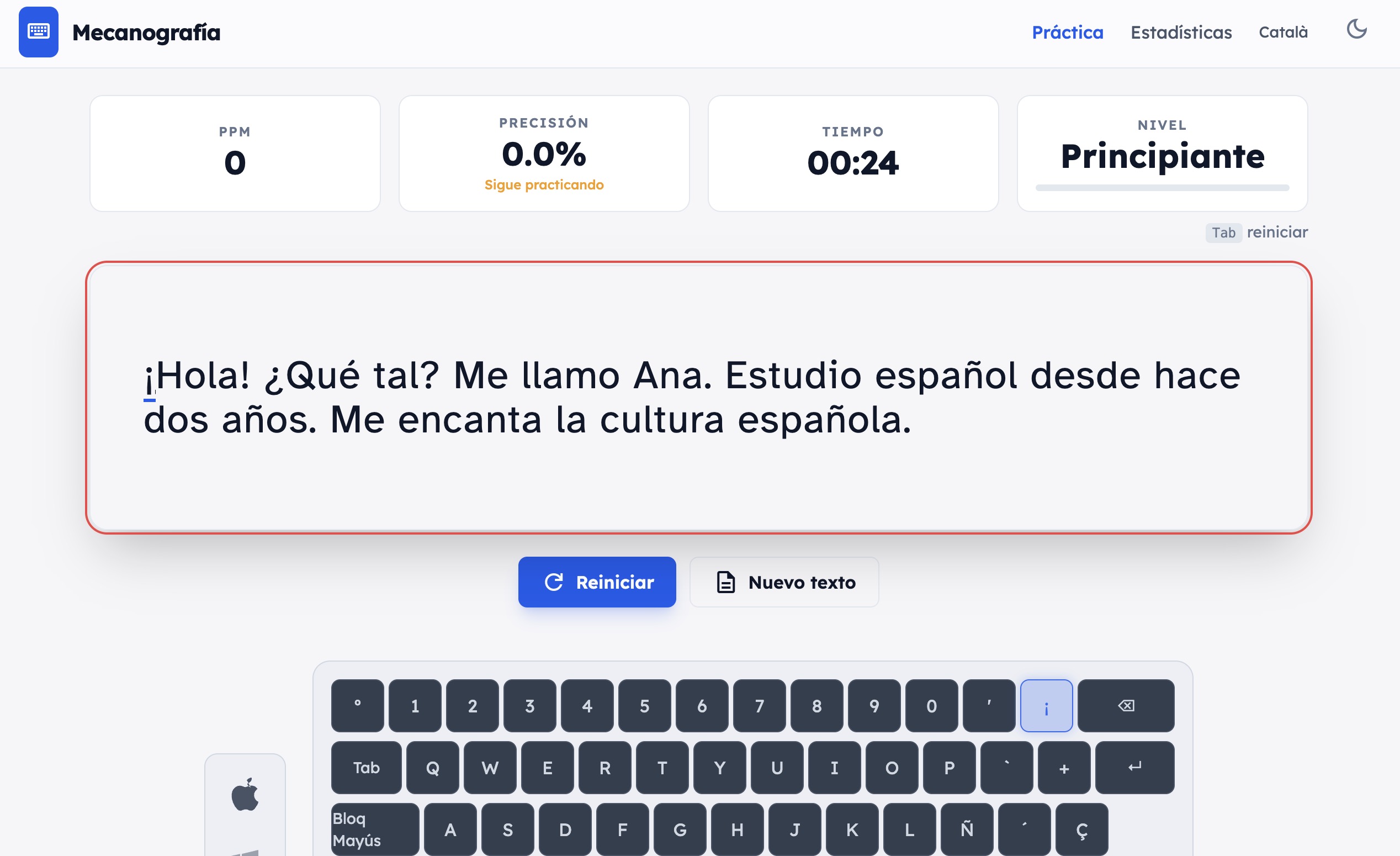
Like many people, I type all day. Emails, docs, messages, notes. I always thought I was “good enough” at typing — fast, but not exactly correct. I look at the keyboard more often than I’d like to admit, and my fingers definitely have their own chaotic system. So I decided to give Mecanografía a proper try and see if it could actually help.
Mecanografía – First impressions: simple, no distractions
The first thing I noticed is how clean the interface is. No ads popping up, no aggressive sign-up walls, no overwhelming dashboards. You open the site and you can start typing almost immediately. That alone already feels refreshing in 2026.
The keyboard layout on the screen matched my setup (I use a Mac), which sounds like a small detail, but it actually makes a difference. Your brain doesn’t have to translate between what you see and what you’re using.
The moment you start typing
As soon as I started the first text, the app showed my stats in real time: speed, accuracy, time, and a level indicator. This created a subtle but motivating pressure. Not stressful — more like, “Okay, let’s see if I can beat myself on the next try.”
The texts feel practical. They’re not random strings of letters but real sentences, which makes the practice feel more relevant. After a few minutes, I caught myself sitting straighter and focusing more on finger placement instead of just speed. That alone was a small but noticeable shift in how I typed.
What surprised me in Mecanografía App
I expected a typical typing test. What I didn’t expect was how quickly I became aware of my bad habits. The accuracy metric was a bit of a reality check. I was faster than I thought — and sloppier than I wanted to admit. Seeing those numbers update live made it obvious where I needed to slow down and be more precise.
Another nice touch is that the app feels equally usable for beginners and for people who already type a lot. You don’t feel judged for being slow, and you don’t feel bored if you’re faster.
Is it perfect?
No tool is. I would personally love to see progress history over time and maybe some light gamification in the future — not in a childish way, but something that keeps long-term motivation high. That said, for a free tool, what’s already there feels solid and thoughtfully built.
Final thoughts about Mecanografía.info
After about 20 minutes, I realized something: I was more focused, less tense in my hands, and weirdly motivated to come back the next day. That’s usually the sign of a good learning tool. It doesn’t try to impress you with features — it just helps you practice in a calm, structured way.
If you’ve ever thought, “I type every day, but I’ve never really learned how to type properly,” Mecanografía is worth a try. It doesn’t promise miracles. It just gives you a clean space to get a little bit better, one text at a time.
👉 You can try it yourself here: https://mecanografia.info/





Is it Possible to Make Money on Mining Farm in 2026?

DeepNude Market Report

Workplace Blacklisting Explained: 8 Popular FAQ
Niche Sites to Submit a Guest Post for Free in 2026
Best 4DX Movies List 2026
Is it Possible to Make Money on Mining Farm in 2026?